
For business Grocery stores
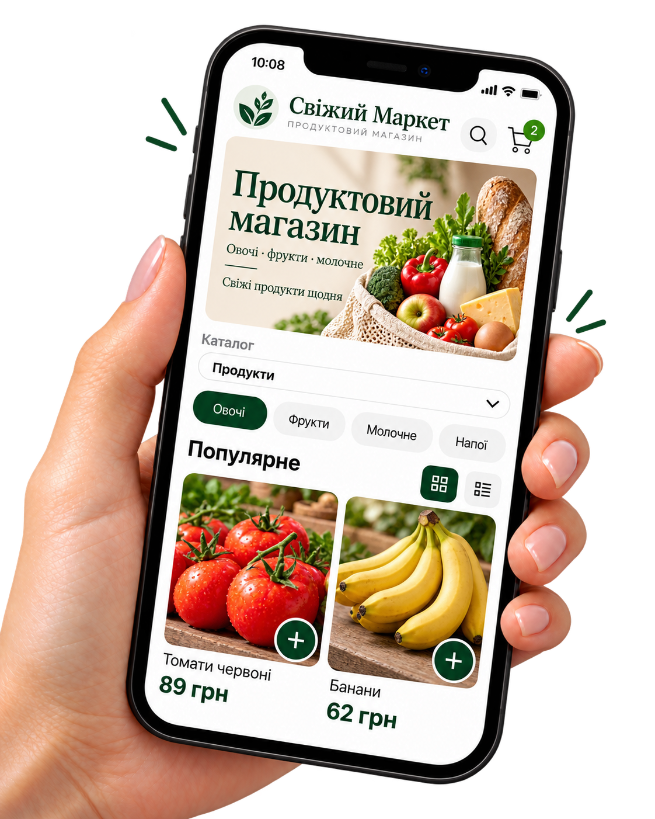
A grocery catalog customers can open on their phone
Show selected goods and prices, take pickup orders or delivery that you organize.
How Kliovio helps a grocery store
-
A practical limited assortment
You do not need the whole warehouse — start with popular items.
-
Familiar categories
Dairy, bread, drinks — easy navigation.
-
Pickup and local delivery
Zones and fees for your neighborhood.
-
Payment your way
Online, on receipt, or by bank transfer.
Want the full walkthrough?
We explain the application, dashboard, products, payment, delivery, QR code, and the first order in more detail.
Where to use the QR code
QR works around the store — where people already know you.
-
Checkout counter
A stand near the till.
-
Shopping bags
A sticker for the next order.
-
Flyers
Neighborhood distribution.
-
Building notice board
Local ads with QR.
How an order works
-
1
The customer opens the catalog
Via your link or QR code — on a phone, no app install.
-
2
They place the order
They choose pickup or delivery and a payment method you enabled.
-
3
You see the order in admin
Phone number, items, and status stay under your control.
-
4
You fulfill the order
Prepare the items and handle pickup or your own delivery.
No POS sync, perishable automation, weight-based pricing, or platform same-day delivery guarantees.
First month free · then 299 UAH/mo
Simple pricing for a small shop
First month free. Then a fixed monthly fee. The Kliovio fee of 0.25% applies only to verified successful online payments; your payment provider may charge separately. You arrange delivery yourself.
FAQ
- Does the register sync?
- No. You update the catalog and availability in Kliovio manually.
- Is there price by weight?
- No. Use a packaged unit price or explain terms in the description.
- Can I offer pickup only?
- Yes. You can leave delivery off.
- Who delivers orders?
- Your staff or carrier. Kliovio is not a delivery service.
Related business types
Open grocery orders online
Start with popular items and a nearby zone.