
For business Cafés and coffee shops
Menu and orders for your café — via QR code
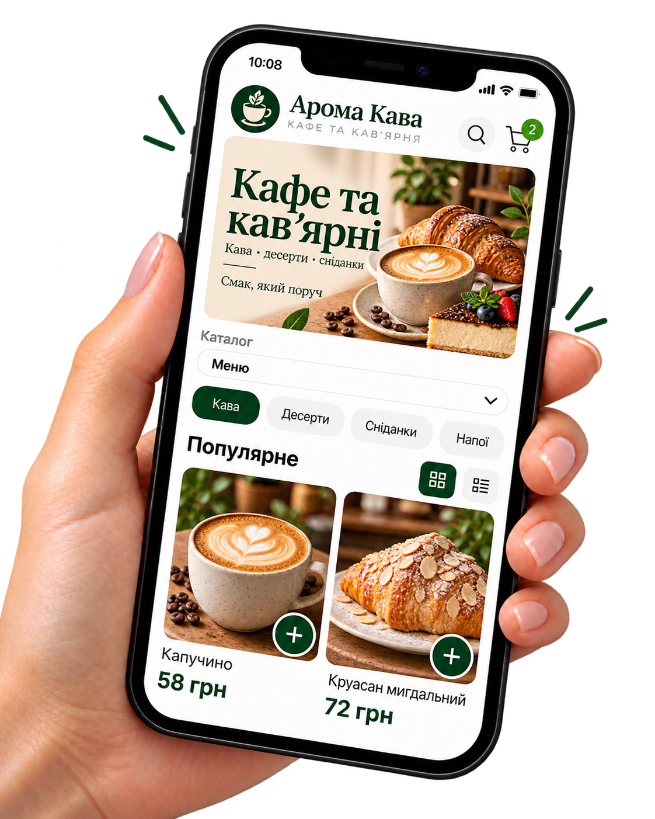
Show items in a catalog and take pickup orders where your process supports it.
How Kliovio helps a café
-
Menu as a catalog
Drinks, pastries, sets — with photos and prices.
-
QR at the counter
Guests scan and see the current menu.
-
Pickup orders
Handy for takeaway without long chat threads.
-
Payment your way
Online or on receipt — as you configure.
Want the full walkthrough?
We explain the application, dashboard, products, payment, delivery, QR code, and the first order in more detail.
Where to use the QR code
A table QR is only for opening the menu/catalog — not table service.
-
Counter card
By the till for a quick browse.
-
Takeaway packaging
Reorder after they leave.
-
Café window
From the street into the menu.
-
Table QR
To view the catalog, not to call a waiter.
How an order works
-
1
The customer opens the catalog
Via your link or QR code — on a phone, no app install.
-
2
They place the order
They choose pickup or delivery and a payment method you enabled.
-
3
You see the order in admin
Phone number, items, and status stay under your control.
-
4
You fulfill the order
Prepare the items and handle pickup or your own delivery.
Kliovio is not a restaurant POS: no table ordering, table numbers, kitchen tickets, reservations, modifiers, or waiter workflows.
First month free · then 299 UAH/mo
Simple pricing for a small shop
First month free. Then a fixed monthly fee. The Kliovio fee of 0.25% applies only to verified successful online payments; your payment provider may charge separately. You arrange delivery yourself.
FAQ
- Can guests order to the table?
- No table service. A table QR opens the catalog; checkout works like a normal store order.
- Are there modifiers (milk, syrup)?
- No. Describe options in the name/description or create separate items.
- Does it suit coffee takeaway?
- Yes, if you can prepare and hand out orders.
- Is there table booking?
- No. The platform is for catalogs and product/menu orders.
Related business types
Show the menu via QR today
Add items and place a card by the till.